spaceman88 Casino Mobile App
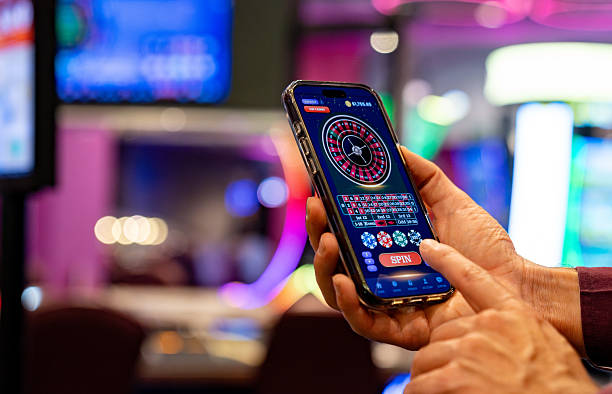
We at spaceman88 have built our mobile app to give you access to Liga 1 matches, live-dealer tables, and slot games from your phone without downloading large files or dealing with slow web pages. Whether you use Android, iOS, or prefer to stay in your web browser, we offer each path with the same account, the same payment methods—DANA, e-wallet, mobile banking, local payment, online payment—and the same security standards. Your choice of how to access spaceman88 depends on your device and your preference for speed, offline features, or keeping your home screen clean. We'll walk you through each option so you can decide what suits you.
- Update
- LoginOTP Verification
- DownloadAPK
- and
Mobile-first design matters because most of our users in Jakarta, Surabaya, and Bandung access spaceman88 from their phones during commutes, lunch breaks, or at home. A slow or clumsy interface drains your battery and data; ours is optimized for weak 3G networks and fast loading over 4G. We cache game assets locally so Champions League live markets and Aviator rounds stay responsive even if your connection dips. Your account stays synced across all devices, so you can start a bet on your phone and finish it on your laptop without re-entering anything.
Every installation path leads to the same spaceman88 experience: game information, account verification through KYC, secure fund transfers, and 24-hour customer support. We do not fragment features by platform; if you can withdraw to e-wallet on web, you can withdraw to mobile banking on the app. Our commitment is that your balance, your deposit history, and your betting records remain consistent regardless of which device you're using at any moment.
How to access spaceman88
We offer three ways to reach spaceman88: Android APK direct download, iOS via mobile browser, and web browser on any device. Each has its own rhythm of installation and its own strengths.

Android APK installation
If you own an Android phone, we allow you to download our APK file directly from our website. This sidesteps the Google Play Store, giving us more freedom to update the app on our own schedule and test new features before they go live. Once installed, the app lives on your home screen and opens in one tap.
iOS and web browser
iOS users cannot install apps from external sources, so we deliver spaceman88 as a responsive web app inside Safari or Chrome. It runs as fast as a native app and remembers your login, so returning users skip the sign-in step. Web browsers on Android and desktop also use this same web version, giving you a uniform experience across your devices.
Installation and getting started
- Download: Visit spaceman88.bet, tap the Android APK button, and save the file to your device—or open our link in Safari on iOS and bookmark the home screen shortcut.
- Install: On Android, go to Settings → Security, enable Unknown Sources, then open the downloaded file and follow the prompts; on iOS or web, no install step is needed, just open the link.
- Register: Tap Create Account, enter your username, email, mobile number, and password, and agree to our terms.
- Verify: Upload a valid ID (passport, national card, or driver's license) for KYC verification, which usually completes in two to four hours.
Key takeaways
- Android APK installs directly; iOS and web run in your browser
- All paths use the same account and payment methods
- Verification takes 2–4 hours; you can browse markets while pending
- Withdrawals go to DANA, e-wallet, mobile banking, local payment, or online payment accounts you registered during sign-up
App versus browser: which is right for you?
Our native Android app caches match data, player odds, and live-dealer streams so they load in milliseconds even on weak networks. Push notifications alert you when a Liga 1 goal is scored or when Piala AFF markets open. The app icon stays on your home screen for instant access. Browser access requires no installation, syncs instantly across all your devices, and works identically on Android, iPhone, and desktop—useful if you switch devices often or share a family phone. The tradeoff: browser pages refresh from the network each time, which is slightly slower on poor connections, but you lose no functionality. Most of our users in Medan and Jakarta run the app; users traveling or on shared devices prefer the web version.
Device compatibility
Our Android APK works on Android 7.0 and newer; if your phone is older, the web version still runs. iOS requires Safari on iOS 12.0 or later; nearly all iPhones from the last six years meet this. Web browsers on Windows, macOS, and Linux all support spaceman88 without any special software. You do not need high-end hardware; our app runs smoothly on budget phones and tablets as long as they meet the minimum OS version.
Troubleshooting common installation problems
On Android, if the APK refuses to install, check that Unknown Sources is enabled in your security settings—this permission is required to install files from outside the Play Store. If you see a certificate warning, this is normal for apps not signed by Google; our certificate is issued by a trusted authority and verified each time you download. If the app crashes on launch, try clearing your phone's cache (Settings → Apps → spaceman88 → Storage → Clear Cache) or reinstalling the app from our website. For iOS, if the web app doesn't save your login, ensure cookies are enabled in Safari settings and that you've allowed spaceman88 to use your location (for jurisdiction compliance). Contact our support team if problems persist; response times are under subject to verification for install-related issues.

Data, permissions, and account security on spaceman88
We ask for your phone's location to verify that you are accessing spaceman88 from a jurisdiction where our service is legal and available. We do not store your precise location; we only check your country or region. The app also requests permission to send you push notifications about live-market updates and account alerts—you can disable these in your phone settings without affecting your account. All communication between your device and our servers is encrypted with HTTPS, so your login credentials, deposit history, and withdrawal records are never visible to third parties. Your password is hashed and salted in our database; we never see it in plain text. Enable two-factor authentication in your account settings to add a second layer of protection: after you sign in, we send a code to your registered email or SMS, and you must enter it to proceed. If your phone is lost or stolen, you can reset your password and disable sessions from other devices using our account recovery page.
Tips and next steps
We recommend downloading the Android app if you are a frequent user—the speed boost on slow networks and the push notifications are worth the one-minute installation. If you are new to spaceman88, start with the web version: no setup, instant access, and your account follows you to the app later if you change your mind. Either way, verify your account before your first deposit; we use KYC to prevent fraud and ensure that withdrawals reach only you.
Once your account is verified, deposit via your preferred method—DANA and e-wallet are instant, mobile banking virtual account deposits settle within an hour. Then explore our football markets on Piala Indonesia and Piala AFF, try a live-dealer session, or spin Aviator. Familiarize yourself with our withdrawal flow: go to the Cashier, select your payment method, and submit a request; we review it within four hours and send funds to your verified account. Keep your password strong and check your account activity regularly for any unfamiliar transactions. Our support team is reachable 24/7 if you have questions about how to use the app, how to deposit, or how to withdraw.